Task Keeper: Minimal Android task manager for focused daily tracking
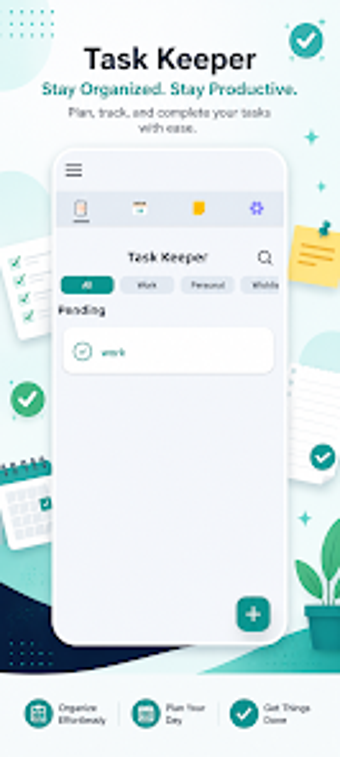
Task Keeper from SINYONG TRADING LIMITED is a lightweight Android task manager built for users who prefer focused, distraction-free lists and reminders. The app lets you create multiple lists, assign reminders, and mark items complete while tracking daily progress with simple planning tools. It presents a clean, straightforward interface and optimized performance for low resource use. Students, professionals, and anyone seeking minimal task control rather than complex project management get the most practical value.
What the app does for everyday to‑do management
The app operates as a minimalist task manager that converts loose to‑dos into organised lists with visible completion records. In practice you add items, group them by life area, and use reminders to keep dates visible; this produces a simple progress trail you can consult during the day. Practical outcomes include clearer daily priorities and fewer overlooked items when managing study, work, or household chores.
How it interacts with device resources and permissions
The developer describes the tool as lightweight and optimised for Android devices, so it is intended to run without excessive system overhead. The app requests standard permissions such as calendar access and device identification; those permissions support scheduled reminders and basic identification-related functions. For typical daily use the footprint keeps background activity modest, making it compatible with lower-end hardware profiles.
How the app handles privacy and maintenance
The developer declares that no user data is shared with third‑party companies, while the data safety notes show collection of calendar information and device IDs. The application is available on the Play Store and the developer has issued recent updates, indicating ongoing maintenance as of AugustThese facts together suggest an emphasis on basic privacy statements alongside active upkeep.
Who can operate it and when advanced tools are needed
The interface is described as clean and straightforward, aimed at quick navigation and minimal setup, so nontechnical users can start organising tasks immediately. The app focuses on day-to-day planning rather than advanced project functions, so users who need complex task hierarchies or collaboration will find its depth limited. Availability on the Play Store and a free license keep entry simple for most users.
A practical, low-overhead choice for focused daily task control
The app is a pragmatic option for Android users who want simple, low-overhead task management rather than full project features; expect a trade-off in depth for that simplicity. For best results enable calendar permission so reminders sync with your schedule, and perform major list edits during idle hours. Recommended.